
The Press Democrat
MediaNews Group, Inc.News & Magazines
3.6138.00 Reviews
- Version
- 10.0.60
- Installs
- 10.00K
- Age Rating
- Everyone
Screenshots
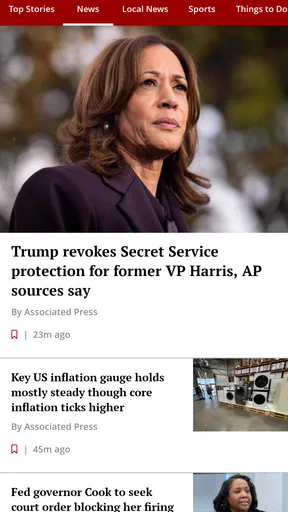
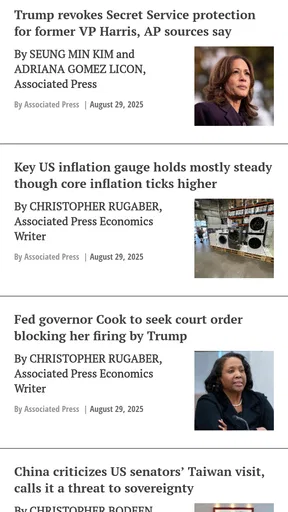
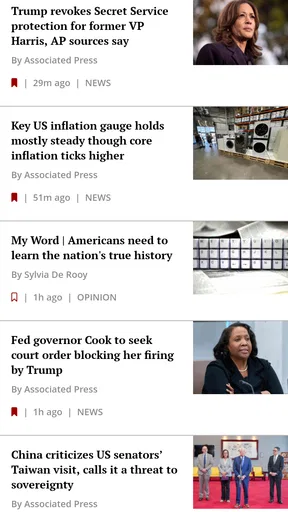
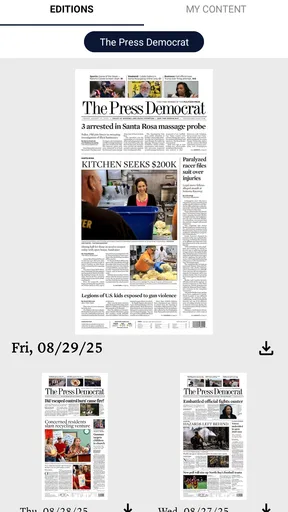
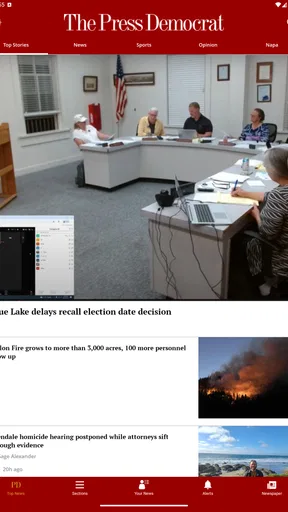
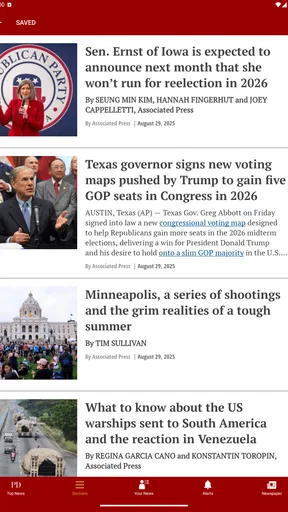
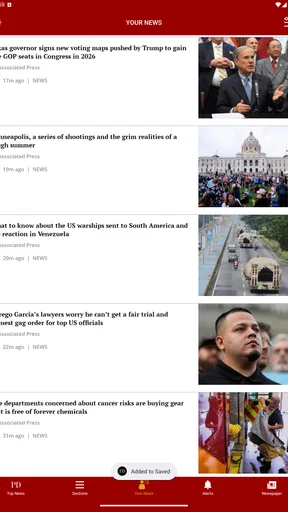
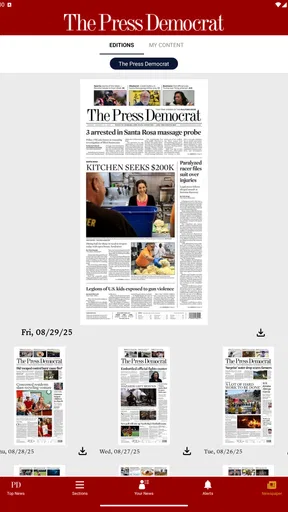
Our Review of The Press Democrat
 Analysis by Appyee
When I open a local news app, I want to understand its purpose quickly: what it covers, how it keeps me updated, and whether it can fit into my day without becoming another noisy feed. The Press Democrat is built for that focused use. It is a free news and magazines app from MediaNews Group, Inc., centered on delivering Press Democrat coverage and personalized notifications rather than trying to be an all-purpose portal for every publication.
That focus is its main appeal. If Press Democrat is the publication you already follow, the app gives you a more direct way to check local reporting on a phone or tablet. If you are searching for worldwide headlines, a large collection of national outlets, or a highly customizable news reader, you may find the experience narrower than the alternatives. I see it as a publication-specific companion: useful when the local coverage matters to you, less convincing when you simply want “the news” in the broadest sense.
What to expect from the Press Democrat app
The first thing I would set expectations around is scope. This is not a general news aggregator where I can freely assemble dozens of sources. The store identifies it simply as The Press Democrat, and its central promise is personalized notifications connected with that publication. In practical terms, I would install it because I want a closer relationship with Press Democrat stories, not because I expect a replacement for every news service on my device.
The app belongs to the News & Magazines category and is rated for Everyone, which makes it approachable for a broad household audience. It is free to install, although in-app purchases range from $14.99 to $174.99 per item. That combination is worth understanding before getting comfortable with the app: downloading it does not mean every part of the broader reading experience necessarily works like a completely unrestricted free news feed.
The current version is 10.0.60, and it requires Android 8.0 or later. On a reasonably recent Android phone, the sensible starting point is to install it, open it, and spend a moment identifying what the notification and reading experience offers before changing every setting. I prefer that approach with news apps because alerts can shape how the app feels more than the article screen itself.
The app has an average rating of 3.6 from around 280 ratings, with around 138 written reviews. I read that as a sign to approach it with realistic expectations rather than treating it as either a failure or an automatic recommendation. A publication-focused app can be valuable to the right reader even when it does not satisfy people looking for a broad, highly polished news hub.
Who will get the most from it
I think it makes the most sense for people who already recognize Press Democrat as a useful local source. That includes residents who want regional reporting close at hand, readers who check local developments during the day, and anyone who would rather receive a relevant alert than repeatedly open a browser and search for the publication.
It can also suit a reader who wants to separate local news from the rest of their media diet. I often find that national apps bury local stories beneath a constant stream of major headlines. A dedicated publication app reverses that priority: the local source becomes the starting point, and broader news can remain in another app.
I would be more cautious if you want one app to combine local, national, international, business, sports, and specialist coverage from many publishers. In that situation, an established aggregator or the websites and apps of several publications may be a better match. The Press Democrat is more purposeful than comprehensive.
Installing it without overcomplicating the beginning
For a first-time user, I would not try to judge the app from the installation screen alone. Once it is installed on a compatible Android device, open it when you have a quiet minute rather than while rushing between tasks. Look for the basic reading path first: reach the news area, identify how a story opens, and notice where notification controls live. That gives you a useful baseline before deciding whether alerts deserve a place in your daily routine.
My practical advice is to treat notifications as a deliberate choice, not an automatic test of whether the app is good. A local news alert can be genuinely helpful when it points me toward something I need to know, but frequent interruptions can make even a well-designed publication app feel intrusive. Start conservatively if the app gives you control over notification preferences, then adjust after seeing what arrives during a normal day.
Another useful first step is to notice the difference between reading access and account or purchase prompts. Because the app includes in-app purchases, a reader may encounter parts of the experience that are connected with paid access. That is not necessarily a problem, but it is better to understand the boundary early than to assume that every article or service behaves like an unlimited free feed.
Reaching the first meaningful result
The first successful action should be simple: use the app to find one Press Democrat story you genuinely care about and return to it later without relying on a web search. That could be a local development you heard about from a neighbor, a community issue you want to follow, or a report you noticed through a notification. The point is to test the app against a real need, not merely tap through its opening screens.
When I evaluate a publication app, I ask three questions during that first session. Can I recognize the main news flow quickly? Can I open a story without confusion? Can I tell how I would receive or revisit important updates? Those questions are more useful than judging the app by visual novelty. The Press Democrat earns its place on my phone if it shortens the path between wanting local information and actually reading it.
A realistic everyday scenario would be checking the app before leaving for work or school, then opening a notification during a short break when a local subject matters to me. In that situation, the value is not endless browsing. It is reducing the number of steps between a relevant update and my attention. If I finish that first session knowing where to look for the main coverage and how alerts fit my routine, the installation has already produced a meaningful result.
There is also a useful habit for readers who dislike reactive news consumption. Instead of enabling every alert, I would use the app as a scheduled local check-in. Open it at a chosen time, read the stories that affect your area, and leave the rest for later. This makes the publication-specific focus an advantage rather than allowing notifications to dictate the entire day.
Where new users may become confused
The most likely confusion is assuming that “personalized notifications” means the same thing as a fully personalized news feed. Notifications may help surface relevant updates, but they do not automatically turn a single-publication app into a multi-source reader. I would keep that distinction in mind when comparing it with Google News, Microsoft Start, Apple News, or a browser full of bookmarked sites. Those alternatives are designed around wider source discovery, while this app’s identity is tied to Press Democrat.
A second point of friction is the relationship between a free download and paid elements. The app costs nothing to install, but its listed in-app purchase range reaches from $14.99 to $174.99 per item. I would not interpret the free installation as a promise that every reading option is free forever. If a purchase prompt appears, pause and decide whether the content or access level is worth it for your needs. That small moment of caution can prevent an accidental assumption about cost.
Another common mistake is judging the whole app by notifications alone. Alerts are useful only when they arrive at the right frequency and for subjects I actually care about. If the first notification pattern feels too busy, I would adjust it before uninstalling. Conversely, if I need immediate awareness of many different sources, no amount of notification tuning can change the app’s publication-specific scope.
Readers should also remember that a local publication app is not interchangeable with a social feed. A social platform may expose me to many reactions and links, but it can also make it harder to distinguish reporting from commentary. The Press Democrat offers a more direct route to its own journalism. The trade-off is that I get less variety in sources and may need another app for perspectives outside that publication.
How it compares with usual news alternatives
Compared with a browser bookmark, this app can be more convenient for repeat visits because it gives the publication a dedicated place on the device. A browser remains more flexible, especially if I want to compare several outlets or avoid adding another app. The Press Democrat becomes worthwhile when I value a quicker, more focused return to this particular source and want its notification behavior available in the same place.
Compared with broad aggregators, the difference is even clearer. Aggregators are better for discovery across many publications and for scanning major stories from different viewpoints. They can also create a crowded experience where local reporting competes with national headlines. This app is better when I already know which publication I want to follow and prefer relevance to breadth.
Compared with reading a digital edition through a general subscription service, the dedicated app may feel more direct for people who want the publication’s own mobile experience. However, a general service can make more sense for someone who regularly reads several newspapers and wants one subscription ecosystem. The better choice depends on whether Press Democrat is a primary source or just one of many occasional stops.
There is a further trade-off around trust and convenience. Staying close to one publication can make local coverage easier to follow, but it can also narrow the range of viewpoints I encounter. I would use this app for Press Democrat reporting and deliberately keep a second source for broader context on major issues. That is not a criticism of the app; it is a sensible way to balance a focused local feed with a wider information diet.
Small habits that improve the experience
My first tip is to test the app at two different times: once during a calm reading session and once when you are responding to an alert. Some apps feel fine when opened intentionally but become frustrating when launched from a notification. Seeing both paths tells you whether the app fits your actual routine rather than an idealized one.
My second tip is to use a notification as a doorway, not as the complete news experience. Read the alert, open the full story when the subject matters, and then return to the main news area to see what else is available. This prevents a narrow alert-driven habit in which I only read whatever happens to interrupt me.
My third tip is to decide in advance how you will handle paid prompts. If Press Democrat is important to you, the listed purchase range may represent access worth considering. If you only want occasional local headlines, you may prefer to stay with the free portion and use other sources when a story requires deeper reading. Making that decision consciously is better than evaluating each prompt emotionally.
My fourth tip is to keep the app’s role clearly defined. I would place it alongside other tools according to purpose: this one for Press Democrat coverage, an aggregator for broad discovery, and perhaps a browser for comparing original sources. Trying to force one publication app to perform all three jobs is likely to create disappointment that comes from the wrong expectation rather than from the app itself.
Who should skip it
I would skip this app if your main goal is a single dashboard containing many publishers, international headlines, and extensive topic controls. You may also prefer a browser if you rarely read Press Democrat and do not want a dedicated installation for occasional visits. Likewise, readers who dislike notifications altogether may gain little from one of the app’s most distinctive conveniences.
I would also hesitate if you are unwilling to consider paid access when it appears. The free download makes trying the app easy, but the presence of in-app purchases means the complete experience may not match the expectations of someone looking only for an entirely free news source. In that case, compare the app’s role with the publication’s other reading options before making it part of your daily routine.
On the other hand, I would recommend giving it a fair trial if local Press Democrat reporting is already part of your information habits. Its 10K+ installs show that it has found a real audience, while the mixed average rating suggests that individual expectations matter. For a reader who wants a direct, publication-specific news companion, the app may be much more useful than its modest reach would imply.
My final take after using it as a local news companion
The Press Democrat is easiest to appreciate when I stop asking it to be a general news platform. Its strength is concentration: one publication, one local identity, and a notification route designed to bring relevant updates closer to the reader. The free installation lowers the barrier to testing that idea, and the Everyone rating makes it suitable for a wide range of readers.
Its limitations are equally important. The experience is not aimed at people who want a large mix of sources, and the in-app purchase range means I would pay attention to what is included before committing. The average rating of 3.6 also encourages a practical approach: install it, find a story that matters, test the notification flow, and decide from that real use rather than from the app’s label alone.
My recommendation is simple: choose it when Press Democrat is a source you actively want closer at hand. Give yourself one focused session to locate a meaningful local story, adjust alerts to your habits, and understand where free reading ends and paid options begin. If that path saves you time and keeps local reporting in view, the app has done its job. If you need broad coverage or a multi-source comparison tool, use a wider news alternative instead and keep this one off your device.
For readers on Android 8.0 or later, the current version 10.0.60 is a straightforward way to try that focused approach. I would not install it simply because it is free; I would install it because I want Press Democrat coverage to have a dedicated place in my day. That is the decision that best matches what this app is designed to do.
Verdict
Strengths of The Press Democrat
- Covers local Sonoma County news with strong community focus.
- Offers timely updates on local events, politics, and public safety.
- Includes reporting from experienced regional journalists.
- Clean layout makes articles easy to browse on mobile devices.
- Useful for staying informed about nearby neighborhoods and communities.
Limitations of The Press Democrat
- Some articles may require a paid subscription to read in full.
- Coverage is primarily regional and may feel limited for national news readers.
- Push notifications can become frequent during major local events.
- The app may offer fewer multimedia features than larger news platforms.
- Availability and depth of coverage can vary outside Sonoma County.
Other Releases by MediaNews Group, Inc.
View All
Boston Herald
News & Magazines2.4

The Mercury News
News & Magazines2.1

Daily Freeman for Android
News & Magazines2.1

LA Daily News
News & Magazines2.6
Similar Picks in This Category
View All
Google News - Daily Headlines
Google LLC4.0

X
X Corp.4.8

Flipboard:Your Social Magazine
Flipboard3.4

Opera News: breaking & local
Opera4.5

Hindi News by Dainik Bhaskar
Dainik Bhaskar Group4.0

Way2News Daily News App
Way2News ( Formerly Way2SMS )4.6
Frequently Asked Questions
What is The Press Democrat app?
The Press Democrat app is the mobile edition of the Santa Rosa-based newspaper, offering access to local news, regional reporting, politics, business, sports, entertainment, weather, and community coverage. After installing it, readers can browse current stories, open articles from different sections, and stay informed about developments in Sonoma County and the surrounding North Bay area from an Android or iOS device.
Is The Press Democrat app free to download and use?
The app is generally free to download, allowing users to install it and explore available content without paying an upfront download fee. However, access to all articles and premium features may depend on a digital subscription or an existing newspaper account. Subscription requirements, introductory offers, and available content can change, so it is worth checking the current terms shown inside the app or on the publisher’s website.
Does The Press Democrat require a subscription?
Some content may be available to casual visitors, while full access to the newspaper’s complete digital journalism can require a subscription. Subscribers may receive benefits such as unlimited article access, fewer restrictions, and access across supported devices. If you already subscribe to The Press Democrat, you may need to sign in with your account credentials to unlock the content included in your plan.
What kind of news and features can I find in the app?
The Press Democrat focuses strongly on local and regional journalism, including Sonoma County news, public safety, politics, education, business, sports, food, arts, and community events. Depending on the version and your access level, the app may also provide breaking-news updates, multimedia content, saved articles, sharing tools, notifications, and a digital newspaper-style reading experience.
Is The Press Democrat app suitable for readers outside Sonoma County?
The app is most valuable for people who live in Sonoma County, work there, have family in the area, or want reliable coverage of North Bay issues. Readers outside the region can still use it to follow local politics, fires, weather, business, tourism, and community developments. However, users seeking broad national or international coverage may need to combine it with another news application.
